
Chance V1.0 VST/AU
Chance V1.0 VST/AU
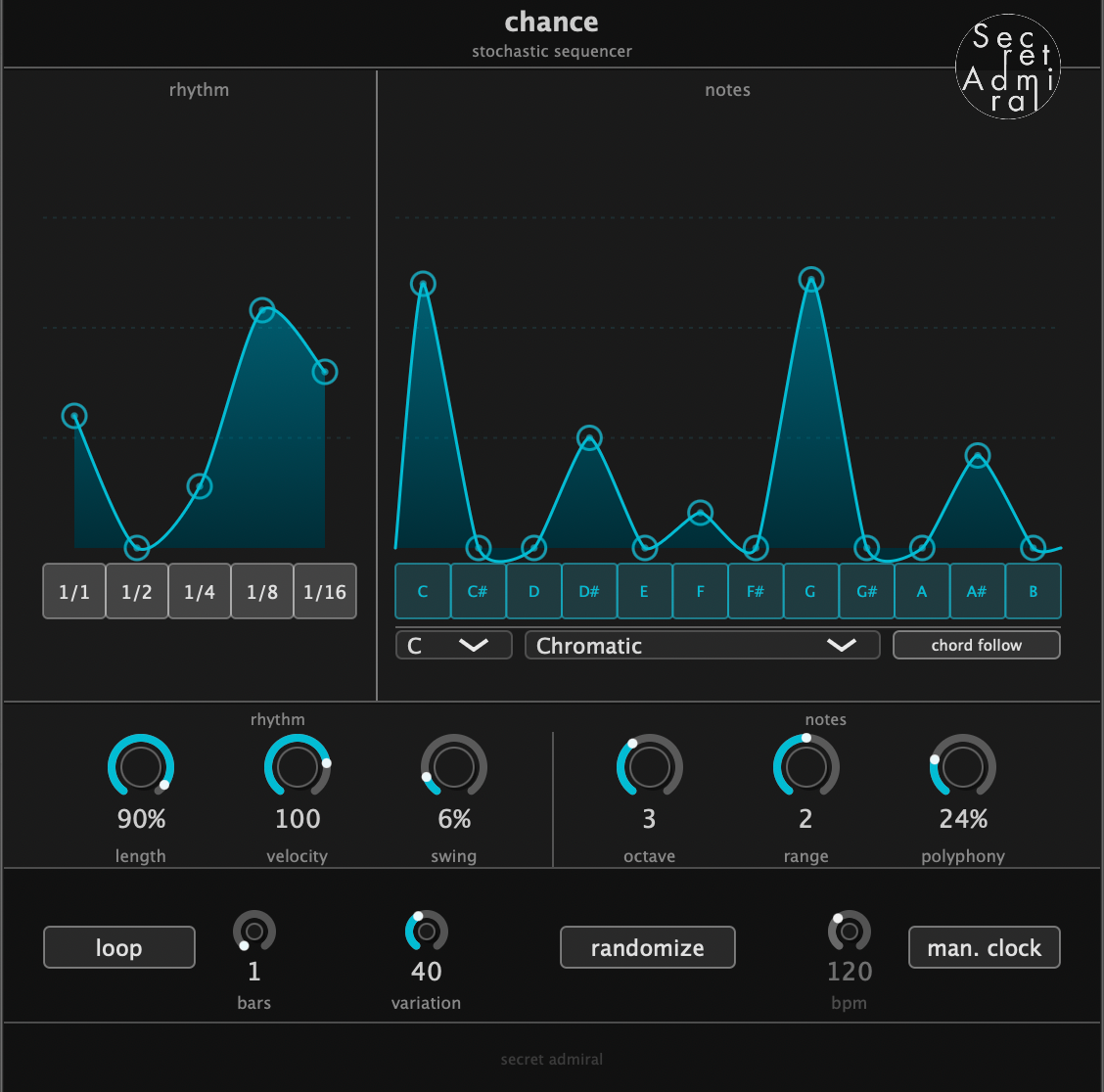
Chance is a probabilistic MIDI sequencer for Logic Pro, Bitwig, Cubase, Reaper, FL Studio, and Studio One. Instead of playing a fixed pattern, it improvises — firing notes and rhythms based on probabilities you set.
You act as the conductor. Define the pitch pool, the rhythmic character, and the density. Chance plays within those constraints, evolving each bar from the last rather than starting over from scratch. The result is something between a sequencer and a collaborator.
Couldn't load pickup availability
Video

Be the Conductor of your VSTi Orchestra
VST and AU Midi Effect
Chance VST/AU is built for producers working in Logic Pro, Bitwig, Cubase, Reaper, FL Studio, and Studio One — giving you the same stochastic sequencing that Ableton producers have been using for years, now natively in your DAW.
If you're an Ableton user, the Max for Live version of Chance is made for you.
Product Details
Deep thoughts
DAW Compatability
This version of Chance is built specifically for producers working in DAW's other than Ableton.
VST3
- Bitwig Studio
- Cubase/Nuendo
- Reaper
- FL Studio
- Studio One
AU
- Logic Pro
- Bitwig Studio
- Reaper
- Studio One
Does Chance VST/AU work in Ableton?
No — Ableton does not support third-party MIDI effect plugins in VST3 or AU format. This is a platform limitation on Ableton's end.
If you use Ableton Studio, check out the Max For Live version of Chance instead. It works natively on any instrument track and has the same core features as the VST/AU version.
Check out Chance M4L here!
System Requirements
Mac (AU + VST3)
- macOS 10.14 or higher
- Apple Silicon or Intel
- AU or VST3 compatible DAW
Windows (VST3)
- Windows 10 or higher
- 64-bit Intel or AMD processor
- VST3 compatible DAW
Which format should I use - VST3 or AU?
If you're on a Mac using Logic Pro, use AU — load it in the MIDI FX slot above your instrument. For all other DAWs on Mac or Windows, use VST3.
Does it work on Apple Silicon machines?
Yes. The AU and VST3 builds are universal binaries and run natively on both Apple Silicon and Intel Macs.
Does it work on Windows machines?
Yes, via VST3. The AU format is Mac-only.
Will my DAW remember my settings between sessions?
Yes. All parameters save and restore with your project file in Logic, Bitwig, Cubase, Reaper, FL Studio, and Studio One.
